PerlJammer - a SQL-backed Perl/Tk Digital Music Jukebox
About PerlJammer
PerlJammer is a SQL-backed Perl/Tk music player conceptually based on Mike Oliphant's abandoned DigitalDJ. It is free software, published under the GNU General Public License; you may do whatever you want with it, within the restrictions of the General Public License, so long as you properly credit the author. PerlJammer is now also available from my Gentoo overlay on GitHub.
PerlJammer generates random playlists from a modified DDJ-compatible MySQL database, and plays them using a user-selected external command-line MP3/Ogg Vorbis player, which default to madplay (because of its superior audio quality) and ogg123. It is highly configurable, and can be remote-controlled via a network socket using either of two companion remote-control programs: RemoteJammer, a skinnable graphical desktop remote (see below), or pjam-remote, a command-line console remote program intended for scripting use. The playlist can be reordered by drag-and-drop, and songs can be dynamically dropped from the playlist or inserted into it before, after, or in place of the current playing selection. You can jump directly to any song in the playlist at any time by double-clicking it, and can replace any selection in the playlist with the entire disc it came from, in track order, simply by clicking the insert-disc button (sixth from right).

The screenshot above shows PerlJammer in the middle of playing a song. (Window decorations are not included in the box; they are provided in this case by the F Virtual Window Manager.) PerlJammer's button bar can be configured to appear either at the top or bottom of the window. Some controls change their appearance depending on the state of the program. In general, buttons that start or change something have deep blue* icons that highlight green; buttons that stop, close, or delete something have black icons that highlight red; and buttons that are waiting for a user action or a state change have red icons. In this example, with a selection playing, the Play button has changed to a Pause button. PerlJammer has been started with the gainctl option enabled, and the persistent gain adjustment control is visible between the two main control groups.
* (From PerlJammer 1.7.4 and RemoteJammer 2.0.1 onward, this color is configurable.)

Here is the initial state of the main button bar with nothing playing. All buttons are in their default states.

Here, a selection has been paused mid-play, and PerlJammer is waiting for further action by the user. (The elapsed-time display also changes from blue to red when paused.)

And here, PerlJammer is doing a "delayed stop", in which it allows the current selection to finish, then stops playback with the selection set to the next unplayed track in the playlist. (The delayed-stop feature is, to the best of my knowledge, unique to PerlJammer.)
Major new features: The chain-link button — fifth from right in the screenshot above — is a PerlJammer 1.8.0 feature that allows you to mark songs to be always loaded together when generating playlists. Songs linked together in this way appear with a pale goldenrod background in the playlist. (There is no unlinking tool at this time, but this may be added later.)
From PerlJammer 1.9.0 on, the checkpoint button (third button to the left of the chainlink button) inserts a movable checkpoint in the playlist. Playback automatically pauses when this checkpoint is reached. You can drag checkpoints around and use them multiple times.
Starting with PerlJammer 1.11.0, Ogg Vorbis (.ogg) files are supported as well as MP3. The default playback application for Vorbis is ogg123.
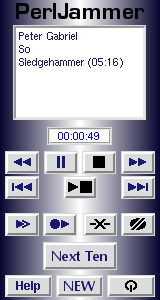
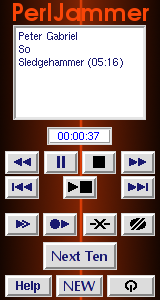
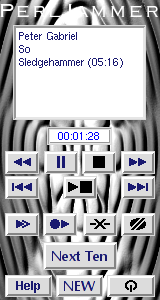
RemoteJammer
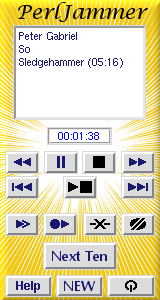
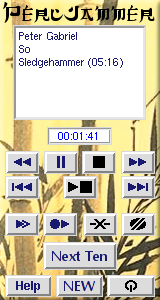
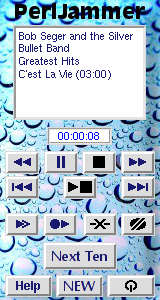
RemoteJammer is PerlJammer's skinnable graphical remote control. It provides a duplicate set of controls matching those on PerlJammer's control bar, with the exception of persistent gain control and breakpoints (not supported from RemoteJammer at this time), and monitors PerlJammer's currently playing selection. The controls are rearranged into logical groups and laid out to give a "look and feel" suggestive of a hand-held remote control or a portable music player.
RemoteJammer can be reskinned by simply setting the remoteskin configuration option to point to a 162 x 302 pixels (width x height) or larger image in PNG, JPEG, GIF or XPM format. If the skin image is larger than 162 x 302, then the top left 162 x 302 pixels will be used. Reskinning does not (yet) include the ability to rearrange or redesign controls, but this capability may be added later.
A selection of sample skins is included.

From version 2.0.0 on, RemoteJammer adds two new UI options, a horizontal button-bar control strip with status displays or a vertical control strip with control buttons only. New configuration file directives have been added to set the default interface, and new command-line options to override the configuration file setting, so that you can easily run multiple different RemoteJammers simultaneously with different interfaces if you so choose. (You could, for example, put a vertical control strip in a corner of your main monitor, and a music-player interface off on a second monitor.) Control-strip interfaces do not at this time support skins because there's virtually nothing to skin.
pjam-import
You can now use the new pjam-import tool to populate a new database with an existing music collection. You can pass it anything from a single file, to the top level directory of your music collection, to your entire disk on the commandline, and it will search all paths passed to it for MP3 files. (It can also be told to find Ogg Vorbis files, but this isn't very useful yet, because the rest of the PerlJammer suite doesn't really know what to do with them yet.) You can use pjam-import -find to just search for audio files that aren't already in the database and report what it finds, or pjam-import -show to find files and show the metadata which it would insert into the database about each file so that you can verify the metadata before you actually perform the import.
pjam-import is a command-line-only tool for now. Later on, if there is a demand for it, I will add a GUI interface to allow you to select which files to import out of the audio files found by pjam-import, and possibly to edit MP3 metadata before inserting.
IMPORTANT NOTE:
pjam-import relies on MP3 tags containing correct metadata in order to insert correct metadata into the database. It is YOUR RESPONSIBILITY to make sure that MP3 tag information is correct to your satisfaction before importing music. The long delay before releasing pjam-import is because I kept thinking up different approaches to automatically derive and verify correct metadata, none of which worked reliably in all cases, and eventually concluded that the problem is intractable. MP3 metadata, particularly on downloaded files, is so frequently either incomplete, wrong, or both, that verifying it is a task which can be accomplished only by a human. (I've seen audio files that were tagged by people who didn't know either the correct name of the song or the correct artist, so instead of trying to look it up they apparently just guessed.)
If you need to correct MP3 tag data or fill in missing data on files with inaccurate or fragmentary MP3 tags (as is, sadly, the case for far too many MP3s obtained online), I recommend trying the Picard tool published by MusicBrainz. Even Picard won't get you all the way there 100% of the time, but it should get you close enough in almost all cases to be able to identify the correct metadata.
Downloading
This is release 1.12.0 of the entire PerlJammer suite. Grab the tarball here. This release contains PerlJammer v1.12.0, pjam-remote/pjam-insert v1.2.0, mp3insert v1.1.0, pjam-dbtool v1.2.0, RemoteJammer v2.2.0, pjam-import v1.3.0, id3read v1.0.2, id3fix v1.1.0, id3write v1.0.1, id3sort v1.1.0, and new tools oggread v1.0.1 and oggwrite v1.0.1.
You can also download the latest tarball at any time as perljammer-latest.tar.gz.
Recent Significant Changes
-
PerlJammer 1.12.0 updates the config file format to be TOML compliant.
-
PerlJammer 1.11.1 fixes UTF8 'Wide Character In Output' warnings.
-
PerlJammer 1.11.0 adds Ogg Vorbis playback support using ogg123.
-
PerlJammer 1.10.0 implements improved column scaling code that generates listbox column widths closer to correctly for window sizes greater than 1500 pixels wide. The fundamental problem here is that Tk::listbox->columnPack does not work well at all. The legacy column sizing code is kept for windows less than 1500 pixels wide.
-
PerlJammer 1.9.1 fixed a bug in which PerlJammer failed to correctly check the active flag first when responding to a STATUS/NOWPLAYING message, as a consequence of which it could incorrectly report that the last track played was still playing. PerlJammer 1.9.2 fixed that fix to prevent RemoteJammer in ribbon mode from reporting 'Inactive' for 'Next Up' when playback is stopped. PerlJammer 1.9.3 fixes several other related bugs including an apparently longstanding bug in remote status that affected only ribbon-mode RemoteJammer, which I never spotted before today.
-
MAJOR NEW FEATURE: PerlJammer 1.9.0 adds playlist breakpoints. Breakpoints can be inserted either from the PerlJammer main UI or remotely using pjam-insert or pjam-remote. Upon reaching a breakpoint in the playlist, PerlJammer will advance to the first song after the breakpoint and pause playback. There can be multiple breakpoints in the playlist, and breakpoints can be moved around the playlist via drag-and-drop just like songs.
-
PerlJammer 1.8.5 updates the schema version to 5 and explicitly specifies all relevant character sets and encodings as utf8mb4 (full 4-byte Unicode). PerlJammer's UI is now fully UTF8 clean.
-
PerlJammer 1.8.4 removes hard-coded latin1 charsets from SQL in several components. I'd have removed this a long time ago if I'd remembered it was there.
-
PerlJammer 1.8.3 fixes a number of recently-manifested wrong-font-or-size bugs, apparently caused by recent changes in font selection or rendering behavior.
-
MAJOR NEW FEATURE: PerlJammer 1.8.0 adds a feature to link groups of songs in the playlist that will then always be added together when building playlists. This feature requires that the DB be updated to version 4 using pjam-dbtool v1.1.0.
-
NEW FEATURE: RemoteJammer 2.1.0 adds a new horizontal 'ribbon' format, for minimal consumption of screen real-estate on large high-resolution monitors.
-
PerlJammer 1.7.5 fixes a bug in which starting play by double-clicking a song in the playlist did not actually set play mode active.
-
Included man pages are now properly *roff formatted.
-
RemoteJammer 2.0.2 in vertical layout adds a 'Now?' button which pops up a 'Now Playing' window.
-
MAJOR NEW FEATURE: RemoteJammer 2.0.0 now has two new UI options, adding vertical and horizontal control strips in addition to the default handheld-music-player-like interface.
-
PerlJammer 1.7.3 and RemoteJammer 1.0.1 add separate font specifications for PerlJammer and RemoteJammer fonts, since on large displays they may well need to be different. I may add a high-resolution option for Remotejammer in the future with larger skins for use on high-resolution displays.
Bug fix: RemoteJammer's 'play entire disc' button was sending the wrong command, 'insert_disc' instead of 'play_disc'. I don't know how this slipped through for so long.
-
New feature: The playlist now includes a hidden column for song year, and STATUS output now includes the song year as well as play time, in the format (yyyy, mm:ss).
-
New feature: pjam-remote can now also be invoked as pjam-insert, in which case it assumes that the host is the default remotehost from .pjam/config and that the command is 'insert'. Thus, pjam-insert is basically a shorthand for 'pjam-remote <default_host> insert'.
-
New feature: pjam-dbtool now recognizes a special "meta-disc" named (single), for use when entering singles into the database. The (single) meta-disc has no associated artist, genre, or year. It is created automatically on first use, and used for any song with (single) as the DISC TITLE tag.
-
New feature: PerlJammer can now track your play stats for music in your database. This information is not used at this time, but may be used in the future to offer optional least-often-played or least-recently-played priority schemes for tuning playlist generation.
-
The 'New Playlist' function no longer interrupts a currently playing song. If PerlJammer is playing when you generate a new playlist, the playing song is now kept as the first song in the new playlist, and play continues seamlessly. 'Insert Disc' is now also seamless, as long as the track being replaced by its source disc — if playing — is the first track of the disc. (Replacing any but the first track of a disc with the entire disc still restarts playback of the disc if the track replaced is currently playing.)
Installation
You can now either use an existing DigitalDJ database with PerlJammer or create a new one using pjam-dbtool. To install PerlJammer, extract the tarball, then copy perljammer, pjam-remote and mp3insert to a suitable location such as /usr/local/bin. Run perljammer once to create your config directory and a template config file (~/.pjam/config), edit the config file to set the preferences including the sqlcfg, sqlgroup and sqldb options, then run pjam-dbtool with the appropriate command-line settings to create the database if you do not already have an existing database created by DigitalDJ, then use pjam-import to populate it.
If you're using Gentoo and you've added my overlay, just emerge -avuDN media-sound/perljammer. At present, you'll still have to manually set up your configuration and run pjam-dbtool to create your database.
For more details and usage of each tool, see the built-in help for each program (accessible via programname -man) or the provided man pages.